



You open Google Analytics on a Monday morning and notice something is wrong. Organic traffic has suddenly dropped. Leads are coming in more slowly. Some of the keywords you worked on for months have disappeared from the first page.
Naturally, the first question is: Did Google penalize my website?
Sometimes, that can be the reason. But a traffic drop does not automatically mean your website has received a Google penalty.
A website can lose traffic because of a Google algorithm update, technical SEO problems, a failed website migration, indexing issues, changing search behaviour, stronger competitors, or even a tracking problem in Google Analytics.
That is why it is important to check for Google penalty issues before making major changes to your website.
In this guide, we will explain what a Google penalty actually means, the warning signs you should look for, how to check for Google penalty problems using Google Search Console and other tools, and what you can do if you discover a manual action or an algorithmic ranking drop.
The goal is simple: diagnose the problem first, then decide what needs to be fixed.
What Is a Google Penalty?
A Google penalty generally refers to a negative action that causes a website or specific pages to lose visibility in Google Search because of violations of Google’s spam policies.
However, the word “penalty” is often used too broadly.
There are two situations you need to understand when you check for Google penalty issues:
- Manual actions
- Algorithmic ranking changes
They can look similar from the outside, but the way you diagnose and recover from them is very different.
Manual Actions
A manual action happens when a Google reviewer determines that some part of a website violates Google’s spam policies.
If this happens, Google will usually notify the site owner through Google Search Console.
The notification can explain the type of issue, whether it affects the entire website or specific pages, and sometimes provide examples of affected URLs.
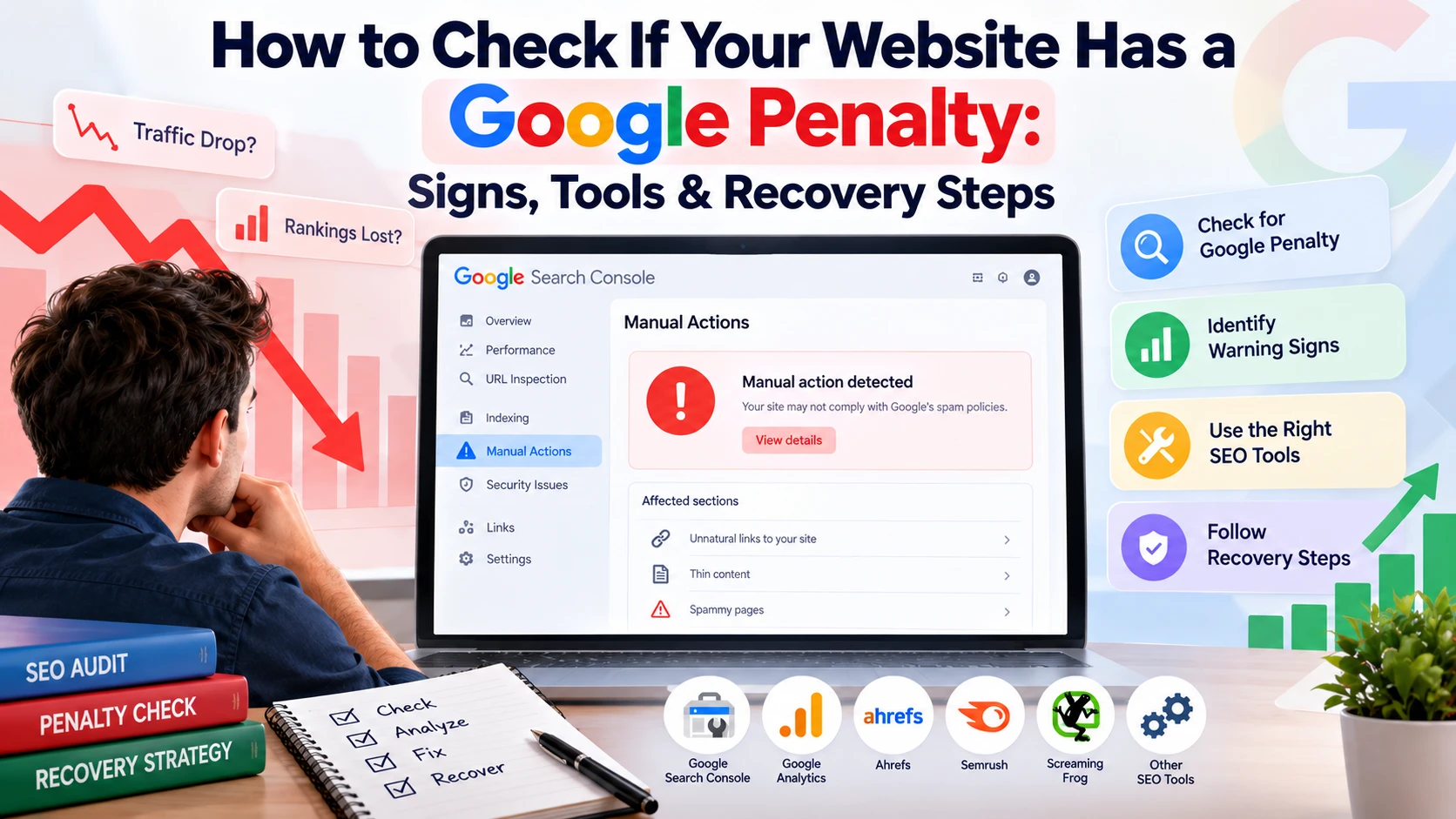
If you are trying to check for Google penalty issues, the Manual Actions report in Google Search Console should always be your first stop.
Algorithmic Ranking Changes
An algorithmic ranking change is different.
Google’s automated systems constantly evaluate pages based on relevance, quality, spam signals and many other factors. A website can lose rankings when these systems change or when competitors become more relevant for particular searches.
There may be no notification in Search Console.
This is why a major traffic drop does not automatically mean you have received a manual penalty.
You may simply be seeing the impact of a core update, spam update, changes in search intent, stronger competitors or other ranking changes.
Manual Action vs Algorithmic Ranking Change
| Factor | Manual Action | Algorithmic Ranking Change |
|---|---|---|
| Who applies it | Google reviewer | Automated ranking systems |
| Notification | Usually shown in Search Console | No direct notification |
| Common causes | Spam policy violations and manipulative practices | Changes in ranking systems, relevance and quality signals |
| Scope | Specific pages or entire website | Pages, sections or broader website visibility |
| Recovery | Fix the issue and request a review | Improve the website and allow systems to reassess it |
| Timeline | Depends on review and corrections | Can take longer and may vary by situation |
Understanding this difference is important before you check for Google penalty problems and start making changes.
Signs Your Website Might Have a Google Penalty
A sudden drop in traffic can be alarming, but traffic alone does not prove that Google has penalized your website.
Seasonality, changing search demand, technical problems, lost rankings, SERP changes and algorithm updates can all produce similar symptoms.
When you check for Google penalty signals, look for multiple warning signs rather than relying on one metric.
1. A Sudden Drop in Organic Traffic
One of the first things you may notice is a sharp decline in organic traffic.
A slow decline over several months can happen because of content decay, increasing competition or changes in search behaviour.
A sudden drop over a short period deserves closer investigation.
Start by looking specifically at Google organic traffic. Compare it with direct, referral, social and paid traffic.
If only organic traffic has changed significantly, SEO should be investigated further.
2. Important Keyword Rankings Suddenly Fall
Another reason to check for Google penalty problems is a sudden change in keyword rankings.
For example, imagine that several important keywords have consistently ranked between positions 1 and 5 for months, but suddenly move to page three, page five or disappear altogether.
One keyword dropping is not unusual.
Dozens or hundreds of unrelated keywords dropping around the same time is more significant.
Look at the dates carefully and identify exactly when the decline started.
3. Important Pages Disappear From Google
Indexing problems can sometimes look like a penalty.
Search for:
site:yourdomain.com
This gives you a rough idea of how many pages Google has indexed.
If important pages suddenly disappear, investigate the issue further.
However, remember that the number shown by a site search is not an exact representation of your indexed page count. Use Google Search Console’s indexing reports for a more reliable diagnosis.
If you want to check for Google penalty issues, compare the pages that disappeared with the pages affected in Search Console.
4. Your Brand Name No Longer Performs Normally
Search your exact brand name.
If your homepage previously appeared prominently for branded searches and has suddenly disappeared or dropped significantly, investigate further.
This does not automatically confirm a penalty, but it is a useful signal when you check for Google penalty problems.
Also look at whether another page from your website is ranking instead of your homepage.
5. Google Search Console Shows a Manual Action
This is one of the clearest signs that you need to investigate.
Open Google Search Console and check the Manual Actions report.
If Google has applied a manual action, the report should provide information about the issue.
This is much stronger evidence than simply seeing a traffic decline.
6. Google Traffic Falls While Bing Remains Stable
Another useful diagnostic step is to compare search traffic from Google and Bing.
If Google traffic falls significantly while Bing traffic remains relatively stable, it gives you another reason to investigate Google-specific ranking changes.
If traffic from several sources falls at the same time, the problem may be technical, seasonal or related to your overall website rather than a Google-specific action.
This comparison can make it easier to check for Google penalty issues without jumping to conclusions.
How to Check for Google Penalty: A Step-by-Step Process
If your website has experienced a sudden ranking or traffic drop, follow the process below.
The most important thing is not to start changing everything at once.
Work through each step, document what you find and eliminate possible causes one by one.
Step 1: Check the Manual Actions Report
The fastest way to check for Google penalty notifications is through Google Search Console.
Follow these steps:
- Log in to Google Search Console.
- Select your website property.
- Open the Security & Manual Actions section.
- Click Manual Actions.
- Review the current status.
If Search Console shows that no issues have been detected, there is no current manual action reported for the property.
If you see a manual action, read the notice carefully.
Look for:
- The type of violation
- Whether it affects the entire website
- Whether it affects specific pages
- Sample URLs
- Google’s recommended next steps
Do not stop there.
Also check the Security Issues report. Hacking, malware and compromised pages can create dramatic traffic changes that may initially look like a ranking penalty.
Step 2: Find the Exact Date Your Traffic Dropped
The next step is to identify exactly when the decline started.
Open the Performance report in Google Search Console and look at your clicks and impressions over an extended period.
Then compare the data with Google Analytics.
When you check for Google penalty causes, the exact date of the drop is extremely useful.
For example, if your traffic fell sharply on a specific day, you can investigate what happened around that date.
Ask:
- Was there a Google update?
- Did the website go down?
- Was the website migrated?
- Did developers change robots.txt?
- Were pages accidentally set to noindex?
- Did the website structure change?
- Was tracking removed?
- Did competitors publish significantly better content?
The date gives you a starting point.
Step 3: Compare the Drop With Google Updates
Once you know the date, compare it with known Google ranking updates.
Google publishes information about significant ranking updates through its official channels.
You can also use third party tools such as Semrush Sensor and MozCast to understand whether search results experienced unusual volatility around the same period.
If your traffic decline overlaps with a major core update or spam update, investigate the affected pages and queries before assuming a manual penalty.
This is a critical part of how to check for Google penalty problems because algorithm updates and manual actions require very different responses.
Step 4: Rule Out Technical SEO Problems
Before blaming Google, check whether something changed on your own website.
Technical problems are surprisingly common after website redesigns, migrations and development changes.
When you check for Google penalty causes, look for:
- Accidental noindex tags
- Robots.txt blocks
- Server errors
- Website downtime
- Broken redirects
- Incorrect canonical tags
- Broken internal links
- Incorrect hreflang implementation
- Missing pages
- URL structure changes
- Mobile usability problems
- Tracking errors
- Poor Core Web Vitals
For example, imagine a developer accidentally adds a noindex tag to hundreds of important pages.
Organic traffic may fall dramatically.
It may look like a Google penalty, but Google is simply following the indexing instruction provided by the website.
This is why technical diagnosis should happen before making assumptions.
For businesses dealing with outdated or poorly structured websites, a professional Website Development Service can also help resolve technical problems that affect search visibility.
Step 5: Audit Your Backlink Profile
Backlinks are another area to investigate when you check for Google penalty risks.
Open Google Search Console’s Links report and review your backlink profile.
Look for unusual patterns such as:
- Large numbers of irrelevant backlinks
- Manipulative anchor text
- Paid link patterns
- Sitewide links
- Links from low-quality directories
- Private blog network links
- Excessive exact match anchors
- Links created specifically to manipulate rankings
However, do not panic every time you see a spammy backlink.
The existence of a low-quality link does not automatically mean your website has a penalty.
Google has systems designed to ignore many types of spammy links.
The important thing is to identify whether there is a broader pattern of deliberate manipulation or an actual manual action.
Step 6: Review Your Content
Content quality deserves a serious review after a major ranking decline.
Ask yourself:
- Does each page provide genuine value?
- Was the content created primarily to attract search traffic?
- Are there pages with very little original information?
- Did you publish large numbers of similar pages?
- Are city landing pages almost identical?
- Does the content demonstrate first-hand experience?
- Are important claims supported by reliable information?
- Are outdated pages still accurate?
- Did you publish AI-assisted content without proper editing?
When you check for Google penalty causes following a major algorithm update, content quality should be one of the areas you investigate carefully.
The goal is not simply to add more words.
The goal is to make the page more useful, accurate, original and relevant to the searcher’s actual needs.
Step 7: Use Third-Party SEO Tools
Third-party tools can make diagnosis easier.
Platforms such as Semrush, Ahrefs, SE Ranking and other SEO tools can help you compare ranking changes, backlink trends and traffic patterns.
Some tools also overlay known Google updates against your visibility data.
However, remember one important point.
A third party “penalty checker” cannot independently confirm that Google has penalized your website.
These tools identify patterns that may deserve investigation.
The best way to check for Google penalty problems is to combine third party data with Google Search Console, analytics data, technical audits and your own website history.
Best Tools to Check for Google Penalty Issues
You do not need dozens of expensive tools to investigate a traffic drop.
Here are some of the most useful options.
| Tool | Cost | What It Helps You Check |
|---|---|---|
| Google Search Console | Free | Manual actions, indexing, security and search performance |
| Google Analytics | Free | Organic traffic and landing page trends |
| Bing Webmaster Tools | Free | Comparison with Bing search performance |
| Google Search Status Dashboard | Free | Official Google ranking update information |
| Semrush Sensor | Free / Paid | Search volatility and ranking changes |
| Ahrefs | Paid | Backlinks, rankings and competitor data |
| Semrush | Paid | Rankings, backlinks, technical SEO and competitor research |
| Screaming Frog | Free / Paid | Technical crawling, redirects, canonicals and indexing signals |
The important thing is not to rely on one tool.
Use multiple sources to build a clearer picture.
Common Types of Google Manual Actions
If you check Search Console for Google penalty notices and find a manual action, Google will identify the issue type.
Some common examples include:
Unnatural Links to Your Site
Google may take action when it identifies manipulative inbound links designed to influence rankings.
Examples can include paid links or other link schemes that violate Google’s policies.
Unnatural Links From Your Site
This can happen when a website links to other sites in ways that violate Google’s spam policies.
Selling links that pass ranking signals can be one example.
Thin Content With Little or No Added Value
This can include pages that provide little useful information to users.
Examples may include automatically generated pages, scraped content or affiliate pages that offer little beyond information already available elsewhere.
User-Generated Spam
Websites with comments, forums or open profile sections can sometimes accumulate spam.
If you don’t moderate that content, it can become a major quality problem.
Cloaking and Sneaky Redirects
Cloaking involves showing different content to search engines and users.
Sneaky redirects can send visitors somewhere different from where they expected to go.
Both can violate Google’s spam policies.
Hidden Text and Keyword Stuffing
Trying to manipulate rankings by hiding text or excessively repeating keywords can create spam signals.
Good SEO is not about repeating a keyword hundreds of times.
It is about providing useful information naturally.
Pure Spam
Pure spam refers to aggressive spam practices that provide little or no value to users.
These situations can lead to severe visibility problems.
Site Reputation Abuse
Google introduced its site reputation abuse policy to address situations where third-party content is published on an established website primarily to take advantage of that site’s ranking signals.
If you check for Google penalty issues involving third-party content, review how and why that content was published.
Structured Data Issues
Structured data must accurately represent the content on a page.
Using markup to create misleading search features, such as fake reviews, can cause problems.
How to Recover From a Google Penalty
Recovery depends on what caused the problem.
Once you check for Google penalty issues and identify the cause, choose the recovery approach that matches the situation.
Recovering From a Manual Action
1. Read the Notice Carefully
Start with the exact message in Google Search Console.
Understand:
- What violation Google identified
- Which pages are affected
- Whether the action is partial or sitewide
- Which examples Google provided
The sample URLs can help you understand the larger pattern.
Do not fix only the example pages. Look for similar problems across the entire website.
2. Fix the Underlying Problem
If the issue involves unnatural links, review and address the manipulative links where possible.
If the problem involves thin content, improve, consolidate or remove pages that do not provide meaningful value.
If the issue involves user-generated spam, improve moderation and remove problematic content.
The goal is to solve the underlying problem, not simply make a few cosmetic changes.
3. Be Careful With Disavow
The Google Disavow Links tool should not be treated as a routine backlink cleanup tool.
Google recommends using it in specific situations involving significant unnatural links that you cannot remove and that may be affecting your site.
Do not disavow backlinks simply because a third-party tool labels them “toxic.”
Incorrectly disavowing useful links can create unnecessary problems.
4. Document Your Changes
Keep records of the work you completed.
For example:
- Links you contacted websites about
- Pages you removed
- Pages you improved
- Spam you removed
- Technical fixes
- Dates of changes
- Outreach attempts
Documentation can make your reconsideration request much clearer.
5. Submit a Reconsideration Request
If the manual action has been addressed, submit a reconsideration request through Google Search Console.
Explain:
- What happened
- What caused the problem
- What you changed
- How you prevented the problem from happening again
Keep the explanation honest and specific.
6. Wait for Google’s Review
Google will review the request and provide an outcome through Search Console.
If the action remains, read the response carefully and identify what still needs to be addressed.
Recovering From an Algorithmic Ranking Drop
An algorithmic ranking decline is different.
There is no manual action to revoke and no reconsideration request to submit.
Instead, you need to understand why your pages became less competitive.
Start by comparing your pages with those that gained visibility.
Ask:
- What information do competing pages provide?
- Are they more comprehensive?
- Do they demonstrate more first-hand experience?
- Is their content more current?
- Is the search intent better matched?
- Is their website easier to use?
- Do they have stronger topical coverage?
Then improve your website accordingly.
If this feels overwhelming, working with experienced SEO services can speed up the diagnosis and give you a clear recovery roadmap instead of guesswork.
Common Myths About Google Penalties
There is a lot of confusing SEO advice online. Understanding what is and is not a penalty can make it easier to check for Google penalty issues without making unnecessary changes.
Myth 1: Duplicate Content Automatically Gets You Penalized
Duplicate content does not automatically result in a penalty.
Google may choose one version of similar pages to show in search results.
However, websites that deliberately use scraped or copied content at scale can create broader quality and spam concerns.
Myth 2: Every Core Update Drop Is a Penalty
Not every ranking drop following a core update means your website has been penalized.
Core updates can change how Google’s systems evaluate relevance and quality.
A competitor may simply become more useful or better aligned with search intent.
Myth 3: A Google Penalty Always Lasts Forever
Manual actions can be resolved when the underlying problems are properly addressed and Google approves the reconsideration request.
Algorithmic ranking declines can also change as websites improve and Google’s systems reassess them.
Recovery is possible, but the timeline can vary significantly.
Myth 4: Changing Your Domain Automatically Fixes the Problem
Moving to a new domain is not a shortcut to SEO recovery.
If the underlying content, technical or spam problems remain, changing the domain does not solve the root cause.
Fix the actual problem first.
How to Protect Your Website From Future Penalties
Prevention is much easier than recovery.
Make these checks part of your regular SEO process:
- Check Google Search Console every week.
- Monitor manual actions and security issues.
- Review indexing changes regularly.
- Audit your backlink profile periodically.
- Avoid paid link schemes.
- Review AI-assisted content before publishing.
- Moderate user-generated content.
- Test redirects after website changes.
- Check robots.txt and noindex settings after development work.
- Monitor important keyword rankings.
- Maintain a website change log.
- Keep your CMS, plugins and security systems updated.
A weekly SEO health check can make it much easier to check for Google penalty signals before they become serious problems.
For businesses in Rajasthan, working with a team that understands both SEO and technical website development can also reduce the risk of avoidable problems.
A professional Website Development Service can help create a technically sound website with clean architecture, appropriate indexing settings and a stronger foundation for future SEO work.
When Should You Get Professional SEO Help?
Not every traffic drop requires an SEO agency.
Many website owners can successfully check for Google penalty notices themselves using Google Search Console.
However, professional help can be useful when the situation becomes more complicated.
Consider getting expert support if:
- Your reconsideration request has already been rejected.
- You cannot identify the cause of a major ranking decline.
- Your website has thousands of backlinks.
- The website contains hundreds or thousands of low-quality pages.
- You inherited the website without knowing its SEO history.
- A previous agency used aggressive link building.
- Organic traffic is directly connected to a significant amount of revenue.
- A website migration caused a major visibility loss.
An experienced SEO team can combine technical auditing, content analysis, backlink research and ranking data to build a more complete diagnosis.
For local businesses that need hands-on support, SEO Services in Udaipur can help create a structured recovery and long-term search strategy.
Check for Google Penalty Before You Panic
A sudden drop in organic traffic can be stressful.
But the worst thing you can do is start making random SEO changes without understanding what happened.
The first step is to check for Google penalty notices in Google Search Console.
Then look at the exact date of the traffic decline.
Compare it with known Google updates.
Check indexing.
Review technical SEO.
Audit your backlink profile.
Review your content.
Compare your pages with competitors.
Only after going through these steps should you decide what needs to change.
If Google has issued a manual action, follow the instructions provided in Search Console, fix the underlying problems and submit a reconsideration request when the website is ready.
If there is no manual action, focus on identifying what changed in search visibility and why competing pages may now be performing better.
Most importantly, remember that a traffic drop does not automatically equal a Google penalty.
The purpose of learning how to check for Google penalty issues is not to find someone to blame. It is to identify the real cause so you can take the right action.
Make this process part of your regular SEO monitoring rather than something you do only after a major traffic loss.
When you consistently check for Google penalty signals, monitor technical issues, review content quality and keep an eye on search visibility, small problems are much easier to catch.
SEO recovery is rarely about one magic fix.
It is about understanding what changed, correcting the underlying problems and building a website that consistently provides value to users.
That approach gives your website a much stronger foundation for sustainable organic growth.
Conclusion
A sudden drop in organic traffic does not always mean your website has a Google penalty. Before making major changes, check for Google penalty issues in Google Search Console, review technical problems, analyze backlinks, and compare your rankings with recent Google updates. Regular SEO monitoring can help you identify problems early and take the right action.
For more ways to improve your SEO workflow, explore 15 Underrated SEO Tools You Should Be Using in 2026, where you can discover useful tools for keyword research, technical audits, competitor analysis and rank tracking.
Infographic: Google Penalty Detection and Recovery Guide.png
Frequently Asked Questions
How do I check for Google penalty notices for free?
Open Google Search Console, go to Security & Manual Actions, then Manual actions. If it shows “No issues detected,” you have no manual penalty. For algorithmic drops, compare your traffic dates in the Performance report with the Google Search Status Dashboard. Both methods are completely free.
Can a website be penalized without a notification from Google?
Yes, in a practical sense. Algorithmic demotions from core or spam updates never come with a message. Google does not call these penalties, but the effect feels the same: lost rankings and traffic. Only manual actions trigger a notice in Search Console, so a clean report does not rule out every problem.
How long does it take to recover from a Google penalty?
For manual actions, Google usually reviews reconsideration requests within several days to a couple of weeks after you submit. Rankings may return gradually after approval. Algorithmic recovery is slower and often takes months, since many sites only bounce back once the next core update reassesses their quality.
What is the most common Google penalty?
Unnatural links to your site has long been one of the most frequently issued manual actions. It covers paid links, link exchanges, private blog networks, and other link schemes. Thin content and user-generated spam are also common, especially on sites that publish at scale or allow open comments.
How often should I check for Google penalty issues?
Check Search Console at least weekly, and turn on email notifications so messages reach you right away. Also review rankings and organic traffic every week using an automated report. Catching a drop within days makes diagnosis far easier because the cause is still fresh and easy to trace.
Can bad backlinks from competitors get my site penalized?
It is rare. Google says its systems are designed to ignore most spammy links automatically. If you notice a large, sudden wave of toxic links and are worried, you can disavow them. A manual action for unnatural links usually reflects a pattern tied to your own link building history.
Does a Google penalty affect my entire website?
Not always. Manual actions can be site-wide or a partial match that only affects certain pages or sections. The Manual Actions report tells you which applies. Algorithmic demotions often affect the whole site but can also hit specific sections, such as a blog full of thin articles.
Will removing bad content immediately restore my rankings?
No. After cleaning up, you need Google to recrawl and reassess your pages. For manual actions, that happens after a successful reconsideration request. For algorithmic issues, it can take several weeks to months. Keep improving the site in the meantime instead of waiting for a single fix to work.