

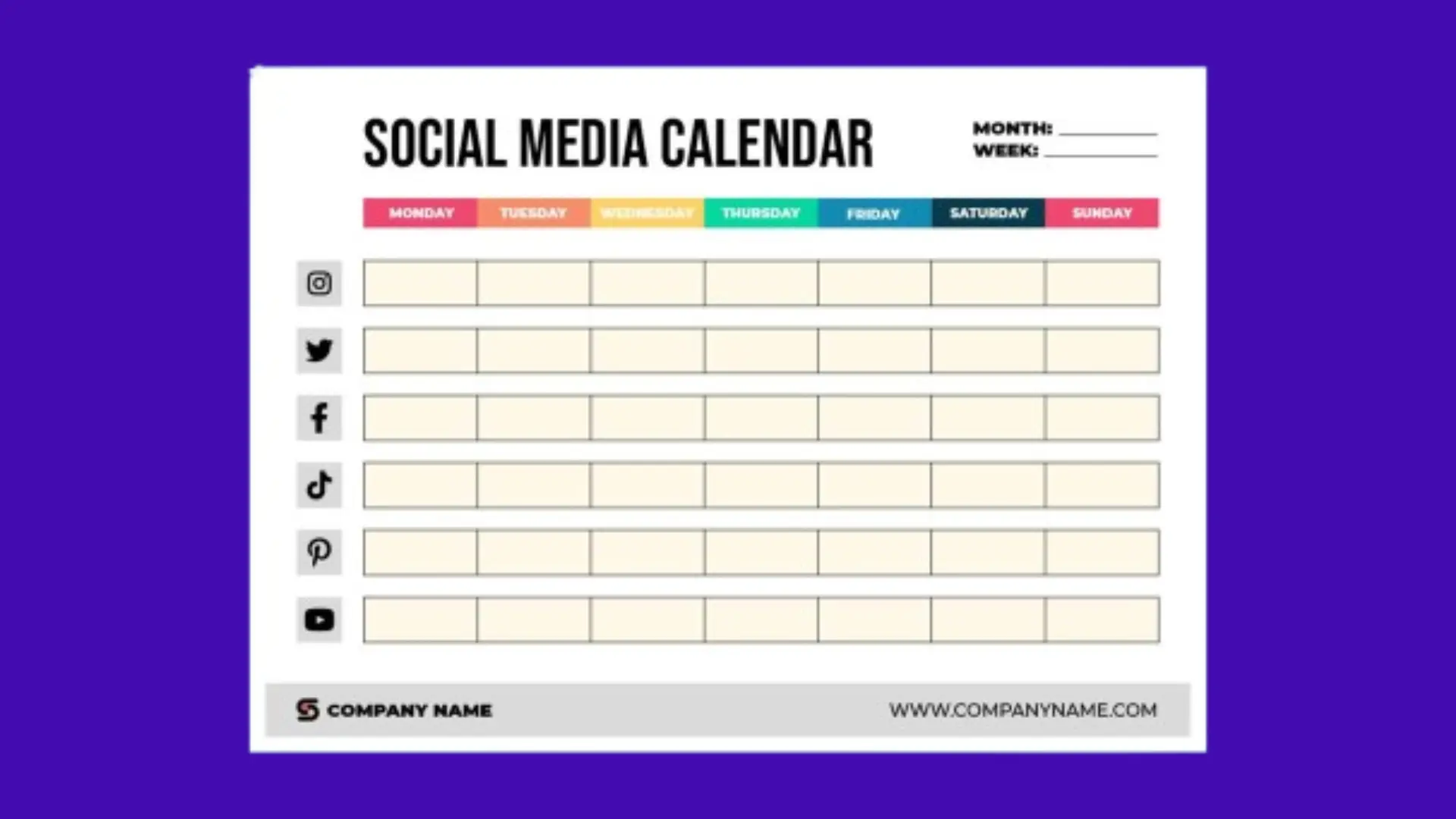
In today’s digital world, social media has become one of the most powerful tools for businesses to reach their audience, build a brand, and generate leads. But posting randomly without a plan rarely works. This is where how to create a social media calendar comes into play. A social media calendar acts as a roadmap, helping businesses organize content, campaigns, and posts across platforms, ensuring consistency and strategic growth. Whether you are a small business owner, a marketing manager, or a content creator, knowing is essential for achieving measurable results.
This guide will provide a step-by-step approach to highlight the benefits, share tools and templates, and provide actionable tips to enhance your social media strategy.
Why You Need a Social Media Calendar
A social media calendar is more than a schedule. It is a strategic tool that aligns your content with business objectives. Many brands fail online due to inconsistent posting, irrelevant content, or lack of planning. Understanding how to create a social media calendar ensures your social media efforts are organized, purposeful, and results driven.
Not sure where to begin? Get a custom strategy tailored to your business.
Consistency Across Platforms
Posting inconsistently can confuse your audience. A well planned social media calendar ensures content flows regularly across platforms like Facebook, Instagram, LinkedIn, and Twitter. Learning how to create a social media calendar helps maintain a consistent posting schedule that keeps your audience engaged.
Better Content Strategy
Planning content in advance allows you to align posts with campaigns, holidays, events, and trending topics. A social media calendar ensures your content resonates with your audience instead of being random. Knowing how to create a social media calendar is key to ensuring your content strategy is cohesive and effective.
Efficient Resource Management
A social media calendar helps assign tasks, deadlines, and responsibilities to your team members. This reduces last minute stress and ensures resources are utilized efficiently. Businesses offering b2b web design agency
can align content with updates to maintain consistency across channels.
Improved Analytics and Insights
Scheduling posts strategically allows you to analyze engagement patterns, optimize content, and track performance. Tools like Google Analytics and a Google Analytics audit checklist help you measure what works. Mastering how to create a social media calendar ensures your social media campaigns are informed by data.
Step-by-Step Guide on How to Create a Social Media Calendar
Creating a social media calendar may seem overwhelming, but breaking it down into steps simplifies the process. Here’s a step-by-step guide for how to create a social media calendar:
1. Define Your Goals and Objectives
Before creating a social media calendar, define your goals. Typical goals include:
- Increasing brand awareness
- Driving website traffic
- Generating leads
- Improving engagement
Once goals are clear, you can align your content strategy with these objectives. Understanding ensures each post contributes toward achieving these goals.
2. Identify Your Target Audience
A social media calendar is effective when content aligns with your audience’s demographics, interests, and behavior. Consider:
- Age, gender, and location
- Online behavior and platform preferences
- Interests and pain points
By understanding your audience, you can schedule content at the right times. Learning how to create a social media calendar ensures your audience receives content that resonates.
3. Choose the Right Platforms
Not all social media platforms suit every business. Focus on platforms where your audience engages most. Examples include:
- Instagram and Pinterest: Ideal for visual content
- LinkedIn: Perfect for B2B marketing and professional updates
- Facebook: Broad audience for text, images, and videos
Your social media calendar should assign content formats per platform. Knowing how to create a social media calendar ensures each platform is optimized for your business.
4. Conduct a Content Audit
Review past content to identify what performed well and what didn’t. Analyze:
- Engagement rates
- Click throughs
- Audience feedback
A Google Analytics consultant can help measure performance. Understanding ensures future content builds on previous successes.
5. Decide Content Types and Themes
Diversity keeps your audience engaged. Plan for:
- Educational posts: guides, tips, tutorials
- Promotional content: offers, discounts, product launches
- User generated content: customer testimonials, reviews
- Interactive content: polls, quizzes, surveys
- Seasonal campaigns: festivals, holidays, awareness days
Assign themes to each day or week in your social media calendar. Learning how to create a social media calendar ensures balanced and engaging content.
6. Determine Posting Frequency
Consistency is crucial, but avoid overwhelming your audience. Suggested frequencies:
- Instagram: 3 – 5 times per week
- Facebook: 1 – 2 times per day
- LinkedIn: 2 – 3 times per week
Your social media calendar should clearly map out posting times for each platform. Knowing helps plan optimal engagement schedules.
7. Create a Content Library
Organize all your resources in one place:
- Images and graphics
- Videos and reels
- Blog links and promotional materials
- Hashtags and captions
A content library supports your social media calendar, making it easier to post consistently. Businesses offering website maintenance services can link social posts to updated web pages for better traffic.
8. Use Scheduling Tools
Automation tools like Buffer, Hootsuite, and Later make managing a social media calendar easier. Scheduling ensures your posts go live at optimal times. Learning how to create a social media calendar allows you to automate posts without losing the personal touch.
9. Incorporate Important Dates
Include:
- Holidays and festivals
- Industry events
- Product launches
- Campaign milestones
For travel brands, a travel website development company can help align campaigns with seasonal travel trends. Knowing how to create a social media calendar ensures timely and relevant content.
10. Plan for Flexibility
Even the best social media calendar should allow room for spontaneous content. Trends, viral opportunities, and breaking news can significantly boost engagement. Learning how to create a social media calendar ensures a balance between structure and adaptability.
Tools to Create a Social Media Calendar
- Google Sheets or Excel customizable and collaborative
- Trello visual planning boards
- Airtable combines spreadsheets and databases
- Buffer, Hootsuite, Later scheduling and analytics
A Google Tag Management consulting services provider can ensure all analytics tracking is correct. Understanding how to create a social media calendar allows seamless workflow integration and performance monitoring.
Best Practices for a Social Media Calendar
- Align Content With Goals Every post should contribute to business objectives
- Optimize Posting Times Use analytics to identify when your audience is active
- Maintain Brand Voice Consistency builds trust
- Track Metrics Monitor engagement with tools like Google Analytics
- Repurpose Content Convert blogs to infographics, videos to carousel posts
B2B brands can integrate LinkedIn marketing services to boost lead generation. Knowing how to create a social media calendar ensures all best practices are followed.
Common Mistakes to Avoid
- Ignoring analytics and insights
- Overloading posts or underposting
- Neglecting platform specific content
- Failing to plan for trends or emergencies
- Using repetitive, unengaging content what is unpaid search traffic.
A structured social media calendar prevents these mistakes. Learning how to create a social media calendar ensures your content remains relevant and effective.
Measuring the Success of Your Social Media Calendar
Track success using:
- Engagement rates (likes, shares, comments)
- Website traffic and conversions
- Lead generation
- Audience growth
Questions like what better Google Analytics or Yandex Metrics can guide your analytics platform choice. Understanding how to create a social media calendar helps connect social media performance to business growth.
Example Template for a Social Media Calendar
| Day | Platform | Content Type | Theme/Topic | Visual/Asset | Responsible | Notes |
| Monday | Carousel Post | Tips & Tricks | Infographic | Content Team | Link blog post | |
| Tuesday | Article Share | Industry Insights | Blog link | Marketing | Use LinkedIn hashtags | |
| Wednesday | Video | Product Demo | Video clip | Design Team | Boost post | |
| Thursday | Poll | Audience Engagement | Poll graphics | Marketing | Track engagement | |
| Friday | Reel | Fun/Trendy Content | Short video | Content Team | Use trending audio | |
| Saturday | Testimonial | Customer Success Story | Customer quote | Marketing | Tag client | |
| Sunday | Blog Share | Informational/SEO Content | Blog featured img | Content Team | Track clicks |
Using this template, understanding how to create a social media calendar becomes much simpler and organized.
Conclusion
Learning how to create a social media calendar is essential for any business looking to succeed online. It brings structure, consistency, and strategy while saving time and resources. From boosting engagement to driving traffic for services like responsive website development services and travel website development company, a social media calendar is your blueprint for success. Start today, plan ahead, and watch your social media strategy flourish.
Focus on your business while we handle your online presence.
FAQs
What is a social media calendar?
A social media calendar is a planning tool that organizes your posts, campaigns, and content across social platforms. It helps businesses maintain consistency, schedule content, and track performance. Using a calendar ensures strategic posting, aligns with marketing goals, and simplifies workflow management, making social media efforts more efficient and results driven.
Why is creating a social media calendar important?
Creating a social media calendar ensures consistent posting, improves audience engagement, and helps track performance. It allows brands to plan content around events, campaigns, and trends. With a calendar, teams can manage resources efficiently, reduce last minute stress, and align content with business objectives, ultimately boosting brand visibility and driving measurable results.
Which tools can help me create a social media calendar?
Tools like Google Sheets, Excel, Trello, Airtable, Buffer, Hootsuite, and Later help plan, schedule, and track social media content. Using these tools, brands can organize posts, automate publishing, monitor analytics, and collaborate across teams, ensuring a smooth workflow and effective implementation of the social media strategy.


Leave a Reply