
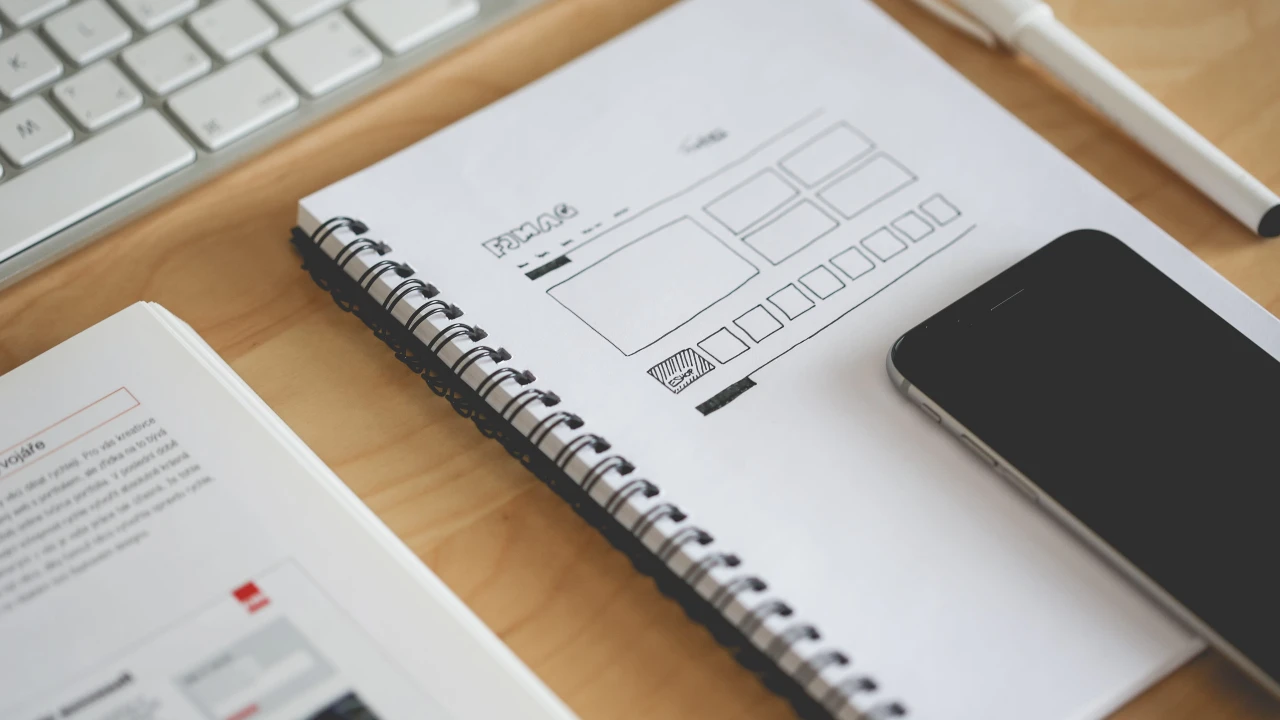
In our quick motion-paced digitization, a comprehensive website design checklist will give way to a smooth launch and will keep thriving with time. Perhaps you are a solo entrepreneur or a B2B web design agency or maybe an in-house designer. Either way, a structured web design checklist aligned with Google’s EEAT (Experience, Expertise, Authoritativeness, Trustworthiness) standards may just make or break a website’s actual performance. With this guide, we reveal the doormat to a detailed website design process checklist and content strategy plan aimed at helping you build sites that not only look good but also actually work.
The Benefits of Using a Website Design Checklist
A website design checklist is essential for preventing errors, managing projects efficiently, and delivering an exceptional user experience. It ensures:
- Consistency: You don’t miss crucial design or content elements.
- Efficiency: You save time and resources.
- Scalability: You can apply the checklist to multiple projects with ease.
- Quality Control: Helps maintain high design and content standards.
Pre-design Considerations
Pre-design considerations set the base upon which every successful website project stands. During this stage of the website design process checklist, you define your objectives, identify your target audience, and gather content and technical information needed. You may also audit the website or complete hosting and domains. It is reckoned that this will align your team and stakeholders, bringing in the much-required clarity and focus. A comprehensive web design checklist for the pre-design would later lessen the chance of expensive revision and would set a smooth tone for a user-centered build.
Website Audit
Start by evaluating the current state of any existing website. Use a google analytics audit checklist to gather data on traffic patterns, bounce rates, and user behavior.
Defining the Project
Outline the project goals, audience, scope, and KPIs. Understanding your user personas helps tailor your web design checklist.
Website Hosting and Management
Choose reliable hosting services that can handle your expected traffic and provide excellent uptime. Integrate website maintenance services for ongoing updates and backups.
Domain Management
Secure a relevant domain name and ensure it’s properly configured with SSL for security and trust.
Gathering Information
Collect all the necessary assets and content from clients, such as branding guidelines, photos, and existing content.
Gather Client Information the Simple Way with Content Snare
Platforms like Content Snare streamline the process of collecting client information, reducing back-and-forth emails.
Design and Development
The design and development phase is perhaps the most important phase for the actual implementation of a web presence. A detailed web design checklist will ensure that almost all design aspects are covered-from cross-browser testing to responsive design to user navigation. This step also includes going through accessibility features, smooth interactivity, analytics, and error handling. Following the website design process checklist allows designers and developers to create a visually compelling, functional, and optimized website.
Cross-browser Compatibility
Ensure the website functions across all major browsers (Chrome, Firefox, Safari, Edge) to maintain user accessibility.
Responsive Design
Prioritize responsive website development services to deliver a seamless user experience across all devices.
Navigation and UX
Plan intuitive navigation. Use clear menu labels and maintain logical page hierarchy to improve user journey.
Forms and Interactivity
Interactive forms, chatbots, and feedback tools enhance user engagement and improve lead generation.
Accessibility
Follow WCAG guidelines to make your site usable for people with disabilities, thereby improving SEO and inclusivity.
Analytics and Tracking
Set up Google Analytics and integrate with Google Tag Management consulting services to monitor user behavior and conversions effectively.
Error Handling
Create custom 404 pages and server error pages with helpful navigation to reduce bounce rates and improve user experience.
Website Performance
Website performance matters for the user and SEO. By using a web design checklist, one can catch the bottlenecks in performance at an early stage and begin their optimization, such as slow page load times, image compression, caching, and script optimization. The checklist for the website design process checklist will cover performance testing on different devices and various browsers to ensure a great experience. With a good performance on websites, one can also maintain the duration of views and increase rankings in search engines; this has become an important factor in design.
Page Load Speed and Performance Optimisation
Use tools like Google PageSpeed Insights to optimize images, minify code, and leverage browser caching. Fast load times enhance UX and SEO.
Content, Search Engine Optimization, and Social Media
Content, search engine optimization (SEO), and social media integration are key to driving traffic and engagement. Following a web design checklist ensures that your content is optimized for both users and search engines. Proper keyword usage, alt text for images, and structured data contribute to better SEO results. Additionally, integrating social media buttons and sharing features aligns with your marketing goals. The website design process checklist helps maintain a balance between design aesthetics, content quality, and SEO, improving overall online visibility.
Content Proofreading and Formatting
Ensure all content is grammatically correct and aligned with your brand voice. Break content into short, scannable paragraphs.
Images and Media
Use high-resolution, optimized images with alt tags. Embed videos or infographics to improve engagement.
Social Media
Integrate share buttons and consider linking with LinkedIn marketing services to expand your reach.
SEO
Perform on-page optimization using relevant keywords such as website design checklist, meta descriptions, image alt texts, and internal linking. Also, build a content plan that focuses on long-tail keywords and topic clusters.
Security and Compliance
Security and compliance are essential to keeping the user data safe and the reputation of a website intact. A very detailed web design checklist assures that very basic security measures such as SSL certificates, strong passwords, and strict timely updates are in place. Privacy compliance measures such as GDPR are a great priority. A website design process checklist entails security audit and monitoring as a daily process, which offers a proactive approach to preventing data breaches and making sure the website is compliant with legal standards.
Basic Security Measures
Install SSL certificates, enable firewall protection, and use security plugins to protect user data.
Security Testing and Monitoring
Regularly test for vulnerabilities and implement monitoring systems to detect breaches early.
Final Reviews
Internal Review
Conduct a thorough quality assurance check involving developers, designers, and content teams.
Client Review
Schedule a meeting with the client to walk them through the website and gather final feedback.

Why Do You Need a Website Content Checklist?
1. Maintain Quality
A website design process checklist ensures each page delivers clear, high-quality content aligned with brand guidelines.
2. Save Time
By following a structured web design checklist, you eliminate guesswork and reduce revisions.
3. Scale Content Creation
When used consistently, a website design checklist becomes a framework for scaling high-volume content projects with ease.
Complete Website Content Checklist
1. Homepage
Unique Value Proposition
Clearly state what you offer and why it matters.
Engaging Media
Use hero images, explainer videos, or animations.
Social Proof
Include testimonials, reviews, or client logos.
Clear Call to Action (CTA)
Use buttons or links that direct users to your desired outcome.
2. About Us Page
Start With a Warm Introduction
Let your personality shine while explaining your brand.
Share Your Story With a Compelling History
Storytelling helps build emotional connections.
Communicate Your Mission and Core Values
These establish trust and resonate with like-minded users.
Introduce Your Team
Photos and bios humanize your business.
Showcase Your Achievements and Awards
Build credibility with tangible proof.
Make Your Contact Information Easy To Find
Include phone numbers, emails, and maps.
3. Service Page
Provide Clear and Detailed Service Descriptions
Detail what each service includes.
Highlight the Benefits
Explain how your services solve specific problems.
Be Transparent About Pricing or Offer Easy Access to Quotes
This builds trust and speeds up decision-making.
4. Product Pages
The Product Name Should Be Clear and Visible
Use bold typography and high contrast.
Include High-Quality Images
Showcase the product from different angles.
Highlight Key Features in the Description
Use bullet points for easy reading.
5. Blog
Do Keyword Research
Align topics with search intent and traffic opportunities.
Crafting a Compelling Headline
Headlines should be catchy and SEO-optimized.
Create Content That Matters
Focus on reader value and address pain points.
Use Subheadings To Break It Up
This enhances readability and structure.
Include Visuals To Enhance Your Message
Infographics and charts help clarify data.
Always End With a Clear CTA
Encourage further reading or conversions.
6. FAQs Addition
Get Insights From Competitors
See what they’re addressing and improve upon it.
Enrich With Keywords for SEO
Include natural keyword placements without stuffing.
Keep It Original
Avoid duplicating content to stay penalty-free.
7. Contact Page
A Short, Inviting Paragraph
Welcome visitors and explain how you can help.
Contact Information
Include email, phone, and physical location if applicable.
A Contact Form
Make it simple, accessible, and quick to fill out.
Website Content Checklist Best Practices
1. Include Internal and External Links
Strategic linking supports SEO and provides value to readers. For instance, connect to services like travel website development company for relevant outbound context.
2. Write Short Paragraphs
Enhance readability and reduce bounce rates.
3. Keep SEO in Mind
Use tools and expert insights from a Google Analytics consultant to improve keyword targeting, metadata, and schema markup.
Website Content Checklist: Final Thoughts
Creating a website goes beyond visuals. A strong website design process checklist considers each element from design and functionality to content and performance. Following a structured website design checklist will improve your ability to deliver a successful website that is user-friendly from an SEO perspective.
Whether you’re working with a responsive website development services provider or flying solo, the strategies outlined here will keep your project aligned with industry best practices.
Website Content Checklist FAQs
1. What should website content include?
Every website should have a homepage, about us, services/products, blog, contact page, and FAQ section with optimized visuals, CTAs, and mobile responsiveness.
2. How to evaluate a website content checklist?
Measure it against goals like traffic, conversions, and content quality. Conduct a Google Analytics audit checklist to support improvements.
Latest Updates Related to Content Marketing
Content strategies in 2025 will lean heavily into personalization and AI-driven optimization.
Most Popular Content Marketing Topics
Evergreen content, topic clusters, and user-generated content continue to dominate the scene.
Conclusion
For successful launches, a detailed web design checklist must be on hand. It helps reduce mistakes while also promoting scalability and performance in the long run. With the help of the website design checklist, you’ll be able to keep an eye on every single detail, beginning from pre-launch to final approval from the client. If you’re improving UX, increasing security, or creating content that converts well, this guide is your road to success.
FAQs
What is a New Website Design Checklist?
A New Website Design Checklist serves as an umbrella guide to cover all critical areas concerning the design of a website. Important considerations include defining the purpose of your website, choosing the right platform, being responsive and design-oriented, generating good-quality content, an SEO-friendly setup, and integrating analytics. This checklist will do a better job of ensuring that your website serves its purposes in the eyes of the user and can perform well in search engines.
Why is the New Website Design Checklist important?
The importance of a New Website Design Checklist lies in the fact that it lays down a streamlined process for the designer. This makes sure that there are no missed key stages like content development or SEO optimization. This checklist can lead to a more organized way to create a website that is going to be user-friendly, functional, and attractive, all meeting the business needs and objectives of the designer.
In what way is SEO related to the New Website Design Checklist?
SEO stands as a major cornerstone in the New Website Design Checklist. This should be included right at the beginning of your new site, getting it ready to be optimized for search engines. This means that you need to think about keywords and image optimization, fast load times, and general meta descriptions and titles. Great SEO can help the website get visibility and make it easier to attract organic traffic, and thus build the base for your design process.
What consideration on responsive design is given in the New Website Design Checklist?
Responsive design is a very important factor in a New Website Design Checklist because there is a guarantee of experiencing friendliness by a user to any device, be it mobile, tablet, or desktop. There will, therefore, be an increased user experience as well as an increase in search rankings for responsive designs as Google shows only mobile-friendly websites in search results because of the increasing mobile traffic.
Can Google Analytics be integrated into the New Website Design Checklist?
Of course! Integrating Google Analytics consulting into the New Website Design Checklist is highly encouraged; indeed, it allows tracking traffic to your website, user behavior, and even conversion rates through it. This is going to give you insight into how effective your website is and may indicate what can be done better to lead to more user engagement and business development.


Leave a Reply