

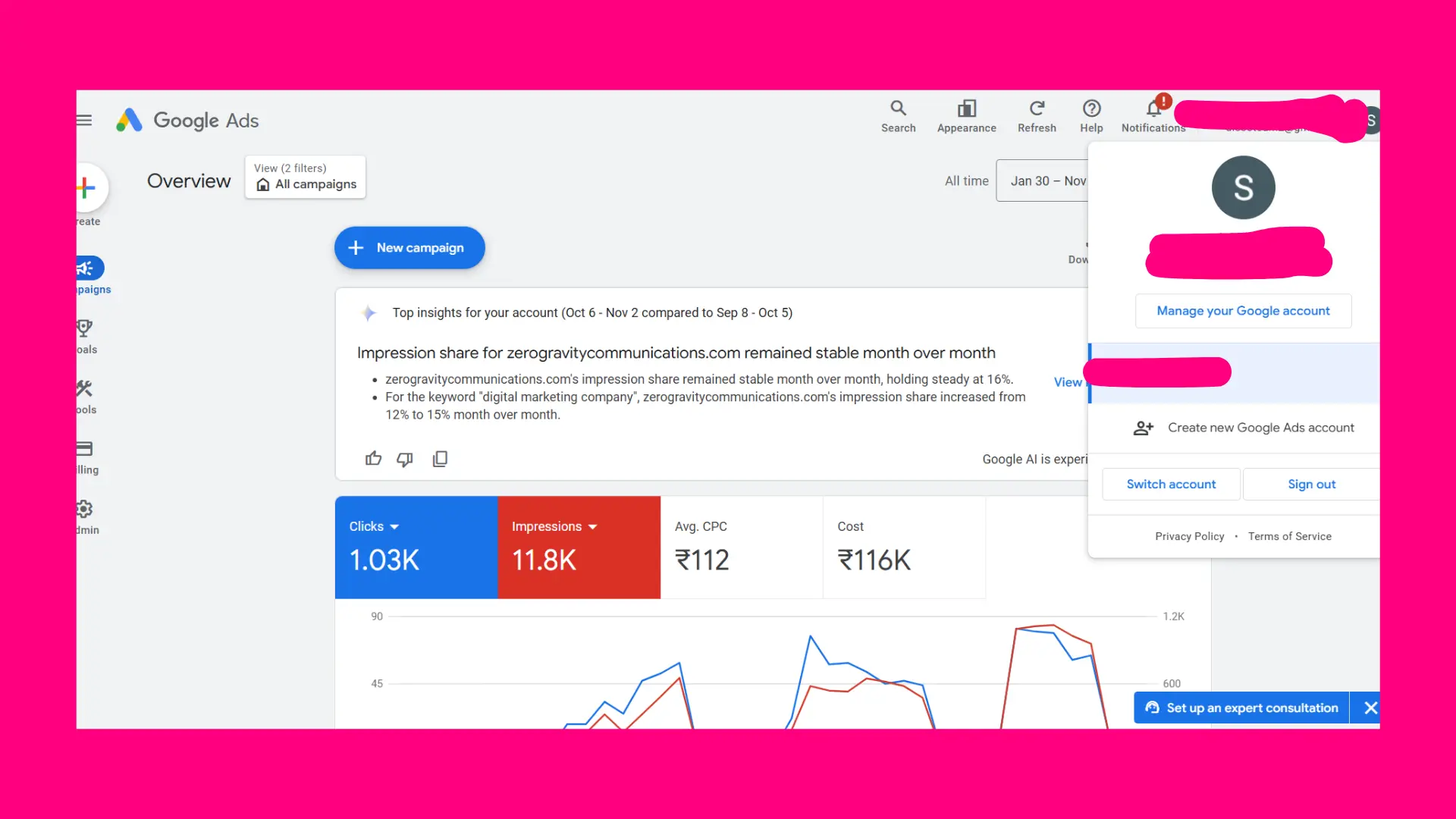
Digital advertising is a cornerstone of modern marketing strategies. Platforms like Google Ads allow businesses to target specific audiences, measure performance, and drive leads efficiently. However, there are instances when you might want to step away from paid campaigns entirely. Knowing how to delete a Google Ads account is essential to ensure a smooth transition without disrupting your broader marketing strategy or losing critical data.
This comprehensive guide will cover everything you need to know about from reasons to delete, step-by-step instructions, alternatives, impacts on marketing, and tips for a smooth transition. Whether you are a business owner, marketer, or agency professional, this guide will provide clarity on the process.
Not sure where to begin? Get a custom strategy tailored to your business.
Why You Might Want to Delete a Google Ads Account
Before diving into how to delete a Google Ads account, it’s important to understand the reasons why businesses take this step. Deleting an account is permanent, and it can have significant implications on marketing operations.
1. Budget Optimization
Many businesses find that their advertising spend on Google Ads isn’t generating the expected ROI. In such cases, learning how to delete a Google Ads account ensures that you stop unnecessary expenditures and can reallocate your marketing budget to more effective channels. For example, you might invest in content marketing, organic SEO, or other paid channels with higher returns.
2. Campaign Consolidation
Some businesses operate multiple Google Ads accounts. Managing multiple accounts can become overwhelming and inefficient. Understanding how to delete a Google Ads account allows you to consolidate campaigns into a single account, making campaign management simpler and more streamlined.
3. Strategic Shift
Businesses often evolve their marketing strategy. A company may shift from paid advertising to focusing on organic channels, investing in improving their website through a B2B web design agency. Knowing how to delete a Google Ads account ensures that your paid campaigns are properly closed, freeing up resources for your new strategy.
4. Simplifying Marketing Operations
Sometimes, simplifying operations is the best decision. Deleting unnecessary accounts allows your team to focus on high impact projects like improving website performance through responsive website development services or hiring a travel website development company for specialized web solutions. Learning helps ensure that this simplification does not result in lost data or ongoing charges.
Key Considerations Before Deleting a Google Ads Account
Deleting a Google Ads account is permanent. Before taking action, keep the following points in mind:
1. Outstanding Payments
Google will continue to bill until all balances are cleared. Attempting to delete an account without settling outstanding payments can create complications. Knowing how to delete a Google Ads account correctly ensures that your billing is managed and no unexpected charges occur.
2. Data Retention
Deleting an account means losing access to all historical campaign performance data. This includes ad spend, impressions, clicks, conversions, and other metrics that are critical for future marketing strategy. You can retain essential tracking information with the help of Google Tag Management consulting services before deleting the account.
3. Linked Analytics
Many businesses link Google Ads to Google Analytics to measure campaign effectiveness. Before deletion, it’s important to review linked analytics accounts and ensure data is backed up. Following a Google Analytics audit checklist can help preserve key insights and allow future campaigns to be informed by historical trends.
4. Alternative Actions
Before fully deleting, consider alternatives such as pausing campaigns, restricting user access, or switching to automated campaigns. Understanding how to delete a Google Ads account helps you weigh the decision and choose the right approach for your business needs.
Step by Step Guide:
Now let’s go through the detailed process of how to delete a Google Ads account. Each step ensures that you manage the account properly, avoid mistakes, and preserve essential data.
Step 1: Sign in to Your Google Ads Account
Log in using the admin credentials associated with the account you want to delete. Only admins have the authority to delete an account. Understanding how to delete a Google Ads account starts with ensuring you have the right permissions.
Step 2: Navigate to Account Settings
Click the tools icon in the top right corner and select Account settings. This section contains all account management options, including the ability to close the account.
Step 3: Access Account Preferences
Within Account Settings, go to Account preferences. This section allows you to manage account status, including pausing campaigns and deleting the account. Knowing how to delete a Google Ads account ensures you reach the correct section without errors.
Step 4: Pause or Remove Campaigns
Before deleting, pause all active campaigns to prevent additional charges. Download all performance data, including keywords, conversions, and impressions. This ensures no valuable insights are lost. Pausing campaigns also allows businesses to redirect focus to initiatives like or collaborating with a travel website development company.
Step 5: Delete Your Account
Scroll down to the Cancel my account or Delete account option and follow the prompts. You’ll be asked to provide a reason for deletion. Understanding how to delete a Google Ads account ensures this process is completed correctly and efficiently.
Step 6: Confirm Account Deletion
Google will send a confirmation email once the account is closed. After confirmation, your account will be permanently inaccessible. Knowing how to delete a Google Ads account ensures you complete the process without leaving the account in a partially active state.
Note: Google retains billing records and limited historical data for accounting purposes. However, all access to campaigns, reports, and account management is permanently removed.
Alternatives to Deleting a Google Ads Account
Permanent deletion is not always necessary. Consider these alternatives:
- Pause Campaigns Temporarily: Stops spend while preserving account and campaign data.
- Limit User Access: Reduces management complexity without deleting the account.
- Switch to Automated Campaigns: Smart campaigns minimize manual involvement while keeping your account active.
- Focus on Organic Channels: Instead of deleting, invest in organic growth through use for B2B lead generation.
Even if deletion is ultimately necessary, understanding how to delete a Google Ads account ensures that your transition is smooth.
Common Mistakes When Deleting a Google Ads Account
Even experienced marketers sometimes make mistakes when deleting accounts. Avoid these pitfalls:
- Not Settling Outstanding Balances: Google will continue to charge until all payments are cleared.
- Skipping Data Backup: Losing reports, audience lists, and historical metrics can impact future campaigns. A Google Analytics consultant can help preserve essential data.
- Overlooking Linked Services: Ensure integrations with Google Tag Management consulting services and other platforms are reviewed before deletion.
Knowing how to delete a Google Ads account can prevent these mistakes and ensure a clean process.
Marketing Impacts of Deleting a Google Ads Account
Deleting a Google Ads account affects multiple marketing areas:
- Traffic and Leads: Paid traffic stops immediately, which can impact lead generation.
- Organic Insights: Metrics like what is unpaid search traffic may be lost.
- Conversion Tracking: Tools connected via may stop collecting data.
- Remarketing Campaigns: All audience lists are deleted, halting retargeting efforts.
Understanding how to delete a Google Ads account helps businesses anticipate these impacts and plan alternative strategies.
Tips for a Smooth Transition
To ensure deletion does not disrupt your marketing:
- Backup All Reports: Export metrics, keywords, audiences, and conversion data.
- Reallocate Budgets: Shift spend to organic growth or projects like website maintenance services.
- Consult Experts: A Google Analytics consultant ensures critical data is preserved.
- Follow Analytics Audit Checklist: Using a Google Analytics audit checklist helps maintain insights for future campaigns.
By following these steps, learning how to delete a Google Ads account becomes straightforward and safe.
Additional Tips and Best Practices
- Document Everything: Keep a record of account activity, reasons for deletion, and backup files.
- Communicate with Your Team: Ensure everyone involved in campaigns is aware of the deletion process.
- Review Linked Accounts: Double check accounts connected via Google Analytics.
- Plan Future Strategy: Decide where marketing focus will shift post deletion, whether that’s LinkedIn marketing services partnerships, or other channels.
Conclusion
Deleting a Google Ads account is a significant step in digital marketing strategy. By what better google analytics or yandex metrics, understanding how to delete a Google Ads account, backing up critical data, exploring alternatives, and planning a transition, you can ensure the process is smooth and effective.
Whether reallocating budgets to organic initiatives like responsive website development services, hiring a leveraging LinkedIn marketing services, knowing how to delete a Google Ads account empowers marketers to maintain control over their digital strategy.
By following this comprehensive guide, businesses can confidently handle how to delete a Google Ads account, avoid mistakes, and protect valuable insights for future marketing campaigns.
Focus on your business while we handle your online presence.
FAQs
Can I reopen my Google Ads account after deletion?
No, once a Google Ads account is deleted, it cannot be reopened. All campaigns, audience lists, and settings will be permanently lost. If you want to run ads again, you will need to create a new account. It’s important to ensure that deletion is the right decision before proceeding.
Will my campaign data be completely erased after deleting the account?
When a Google Ads account is deleted, access to dashboards, reports, and campaign data is lost. However, Google retains limited billing and historical information for accounting purposes. To avoid losing insights, it’s recommended to download all reports and performance metrics before deleting the account.
How long does it take for the deletion process to complete?
The deletion process is usually immediate once confirmed. However, final billing and backend updates may take a few days. During this period, you won’t have access to your campaigns or reports. Preparing and backing up all necessary data in advance helps avoid disruption.


Leave a Reply